Nielsen's 10 Heuristics
Ten rules of thumb to find usability problems in any interface, fast.
Reviewing a design before handoff or testing.
A prioritised list of issues with heuristics and severity.
Ten rules of thumb for usable interfaces
In 1990, Jakob Nielsen and Rolf Molich described a fast way to find usability problems without testing with users: check the interface against a short list of principles. Nielsen refined the list into the 10 usability heuristics in 1994, and they're still the most used UX checklist today.
They're called “heuristics” because they're rules of thumb, not strict laws. A review using them is a heuristic evaluation. It's cheap, fast, and finds many problems before users ever see them.
The 10 heuristics
Tap a card to flip between a good example and a violation.
Reviewing a send-money flow
A review of “Send money to a new contact via UPI” in “PayKaro”, a fictional payments app, screen by screen. Each problem gets a heuristic, a severity from 0 to 4, and a fix.
Enter the receiver
Choose an amount
Confirm and pay
Payment pending
Set up monthly
Report the findings
PayKaro is a fictional app made for this lesson.
Nielsen's severity scale
Spot the violation
Eight broken screens. Pick the heuristic each one breaks.
Which heuristic does this break?
Run a heuristic evaluation in 5 steps
Set the scope
Review alone
Log each issue
Merge and prioritise
Fix, then test
Common mistakes
✓ Do
- Use several evaluators — each finds different problems
- Always add a severity and a suggested fix
- Review real tasks, not random screens
- Include the heuristic number so the team learns the pattern
- Follow up with real user testing
✗ Avoid
- Treating heuristics as a substitute for user research
- Only one person reviewing their own design
- A long list of issues with no priorities
- Vague notes like “confusing” with no reason or fix
- Arguing about which heuristic instead of fixing the problem
Nielsen's 10 heuristics in one screen
H1  Visibility of system status ........ tell people what's happening
H2  Match with the real world ........... their words, not yours
H3  User control and freedom ............ undo, cancel, back
H4  Consistency and standards ........... same thing, same name
H5  Error prevention .................... stop mistakes early
H6  Recognition rather than recall ...... show, don't make them remember
H7  Flexibility and efficiency .......... shortcuts for regulars
H8  Aesthetic and minimalist design ..... remove what competes
H9  Recognise, diagnose, recover ........ plain errors + a fix
H10 Help and documentation .............. short help, in context

SEVERITY  0 none · 1 cosmetic · 2 minor · 3 major · 4 catastrophe
ISSUE LOG  where · problem · heuristic · severity · fix · screenshot
TEAM       3–5 evaluators, review alone first, then merge
Figma template
A ready-made canvas for running this framework with your team. Free, editable, and it works in Figma and FigJam.
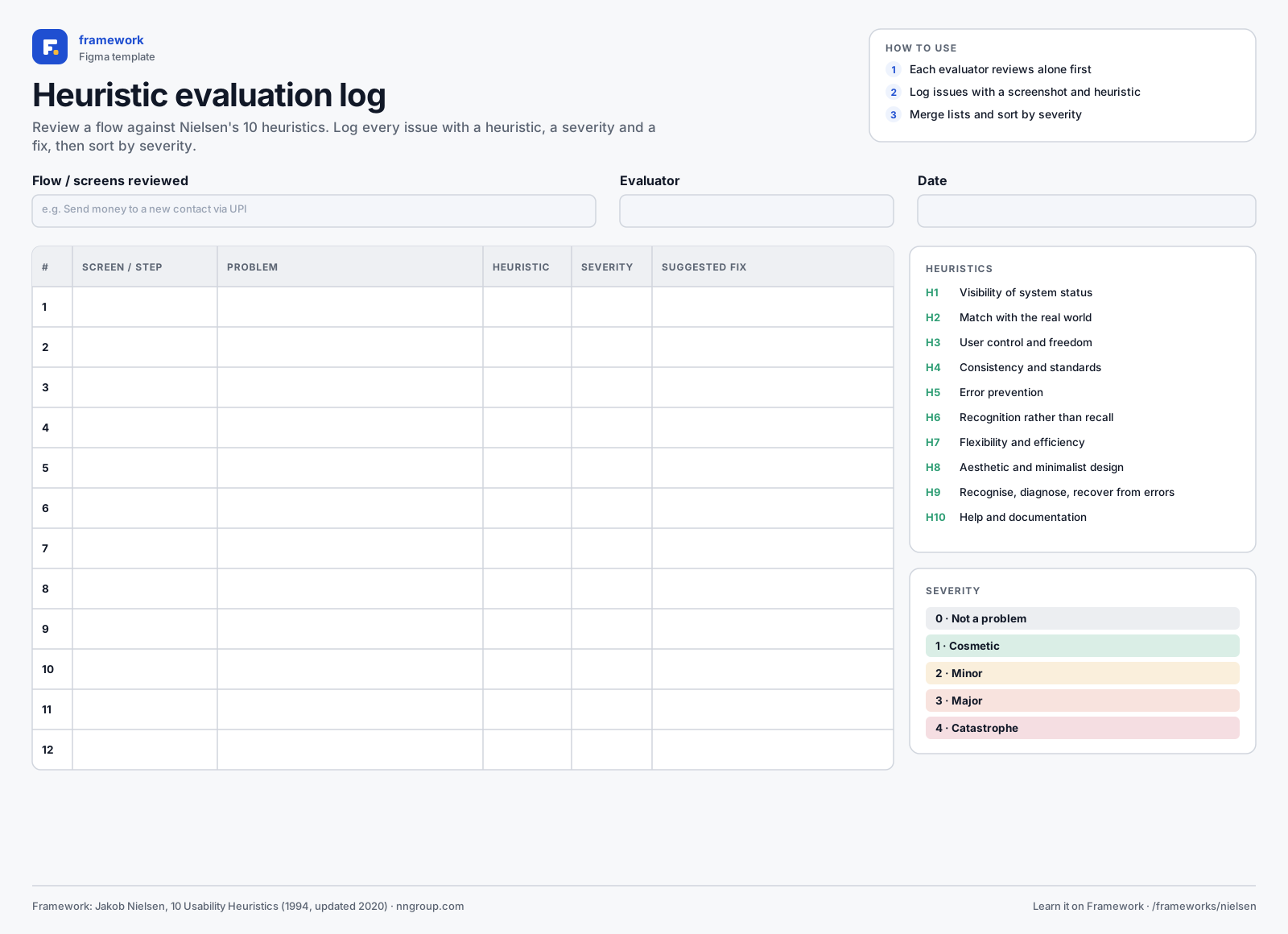
Heuristic evaluation log
- Issue log table
- 10 heuristics legend
- Severity scale
- 1Download the SVG, or copy it to your clipboard.
- 2In Figma or FigJam, drag the file onto the canvas — or paste with ⌘V / Ctrl V.
- 3Everything arrives as editable layers: type in the boxes, add stickies, duplicate rows.
Quick quiz
Get all three right to complete the lesson.
Notes are private and stored in this browser.
Related frameworks
Laws of UX
Psychology principles like Hick's, Fitts's and Jakob's Law, applied to UI.