MoSCoW
Must, Should, Could, Won't: a simple way to agree on scope.
Scoping an MVP or a release with a fixed deadline.
Requirements sorted into four buckets with a balanced effort.
Agree on what's in, what's out, and what can slip
MoSCoW was created by Dai Clegg at Oracle in 1994 and became part of the DSDM agile method. Every requirement goes into one of four buckets: Must have, Should have, Could have, Won't have this time. (The lowercase “o”s just make it pronounceable.)
It's simple enough to use in a single meeting with stakeholders, and it makes trade-offs visible before a deadline forces them.
Four categories
Must have
Should have
Could have
Won't have (this time)
Prioritisation board
An MVP for group ordering in a food delivery app. Move each item between buckets and watch the effort balance. Effort is in days.
Scoping a group-order MVP
A fictional team at food delivery app “Thali” has six weeks.
Everything is a Must
Ask the Must question
Balance the effort
Say what's out
Fictional example.
Common mistakes
✓ Do
- Use a strict test for Must
- Keep Musts at or below about 60% of effort
- Agree priorities with stakeholders in the room
- Write down Won'ts and when you'll revisit them
- Re-prioritise when things change
✗ Avoid
- Marking everything as Must
- No effort estimates, so no real trade-offs
- Treating Won't as “never”
- Using it alone for long-term roadmaps
- Letting one person decide for everyone
MoSCoW in one screen
M  MUST HAVE     release fails / unsafe / illegal without it
S  SHOULD HAVE   important; a workaround exists for now
C  COULD HAVE    nice to have; first to drop
W  WON'T HAVE    out of scope THIS time — revisit later

MUST TEST  "If it's not delivered, would we cancel or delay the release?"
BALANCE    Musts ≤ ~60% of effort · Coulds ≈ 20% as buffer (DSDM guidance)
Figma template
A ready-made canvas for running this framework with your team. Free, editable, and it works in Figma and FigJam.
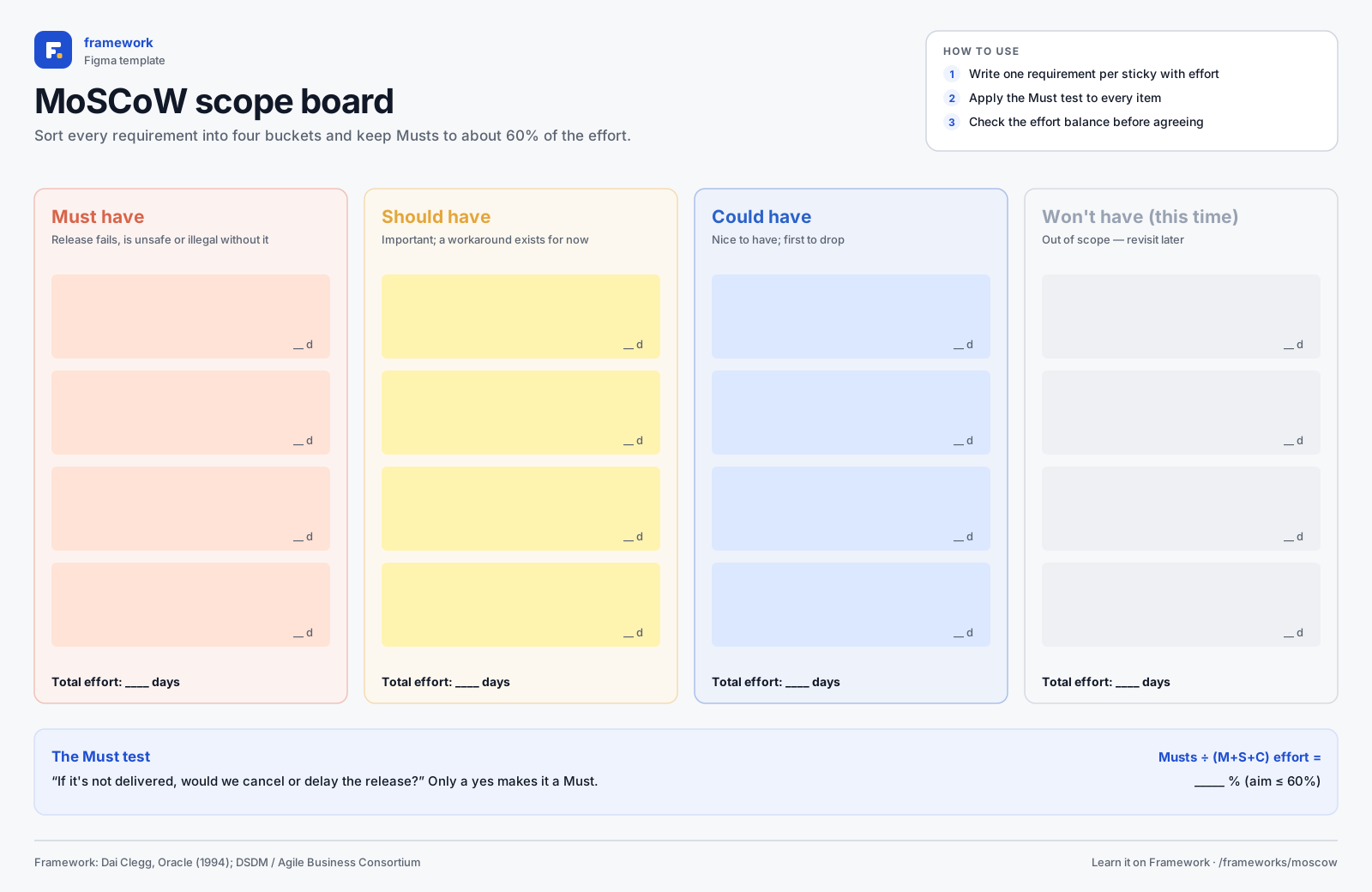
MoSCoW scope board
- Must / Should / Could / Won't columns
- Effort totals
- The Must test
- 1Download the SVG, or copy it to your clipboard.
- 2In Figma or FigJam, drag the file onto the canvas — or paste with ⌘V / Ctrl V.
- 3Everything arrives as editable layers: type in the boxes, add stickies, duplicate rows.
Quick quiz
Get all three right to complete the lesson.
Notes are private and stored in this browser.
Sources and further reading
Related frameworks
Octalysis
8 core drives that explain why people do anything, and how products use them.