Empathy Map
One canvas for what a user says, thinks, does and feels.
Synthesising interviews with your team.
An empathy map and insights from its contradictions.
Put yourself in the user's shoes, on one page
An empathy map is a simple canvas that captures what one type of user says, thinks, does and feels. It was created by Dave Gray at the consultancy XPLANE and popularised in Gamestorming (2010).
You fill it in after research, with the team, to turn interview notes into shared understanding. The magic is in the gaps: what people say often differs from what they do.
Four quadrants, plus pains and gains
Says
Thinks
Does
Feels
Pains
Gains
From an interview to an insight
A fictional researcher maps Ramesh, who runs a grocery shop and recently started accepting QR payments through a payments app.
The interview
Sort into quadrants
Spot the contradiction
Write the insight
Design from it
Fictional example for teaching.
Build an empathy map
Add notes to each quadrant. The example is loaded to start.
Click a note to remove it. Your map is saved in this browser.
Common mistakes
✓ Do
- Base it on real research, and link notes to sources
- One map per user type
- Look for contradictions between quadrants
- Fill it in together as a team
- Turn it into insights and HMW questions
✗ Avoid
- Filling it in from assumptions and treating it as fact
- Mixing several different users on one map
- Writing features instead of observations
- Making it and never using it again
- Only positive or polite notes
Empathy Map in one screen
          SAYS  │  THINKS
     ─────────── USER ───────────
          DOES  │  FEELS
     PAINS (fears, obstacles)  ·  GAINS (wants, success)

SAYS    direct quotes
THINKS  beliefs, worries (often unspoken)
DOES    observed actions
FEELS   emotions

HOW TO USE
1. Do research first (interviews, observation)
2. One map per user type
3. Sort notes as a team
4. Circle contradictions (Says ≠ Does)
5. Write insights → How might we…Figma template
A ready-made canvas for running this framework with your team. Free, editable, and it works in Figma and FigJam.
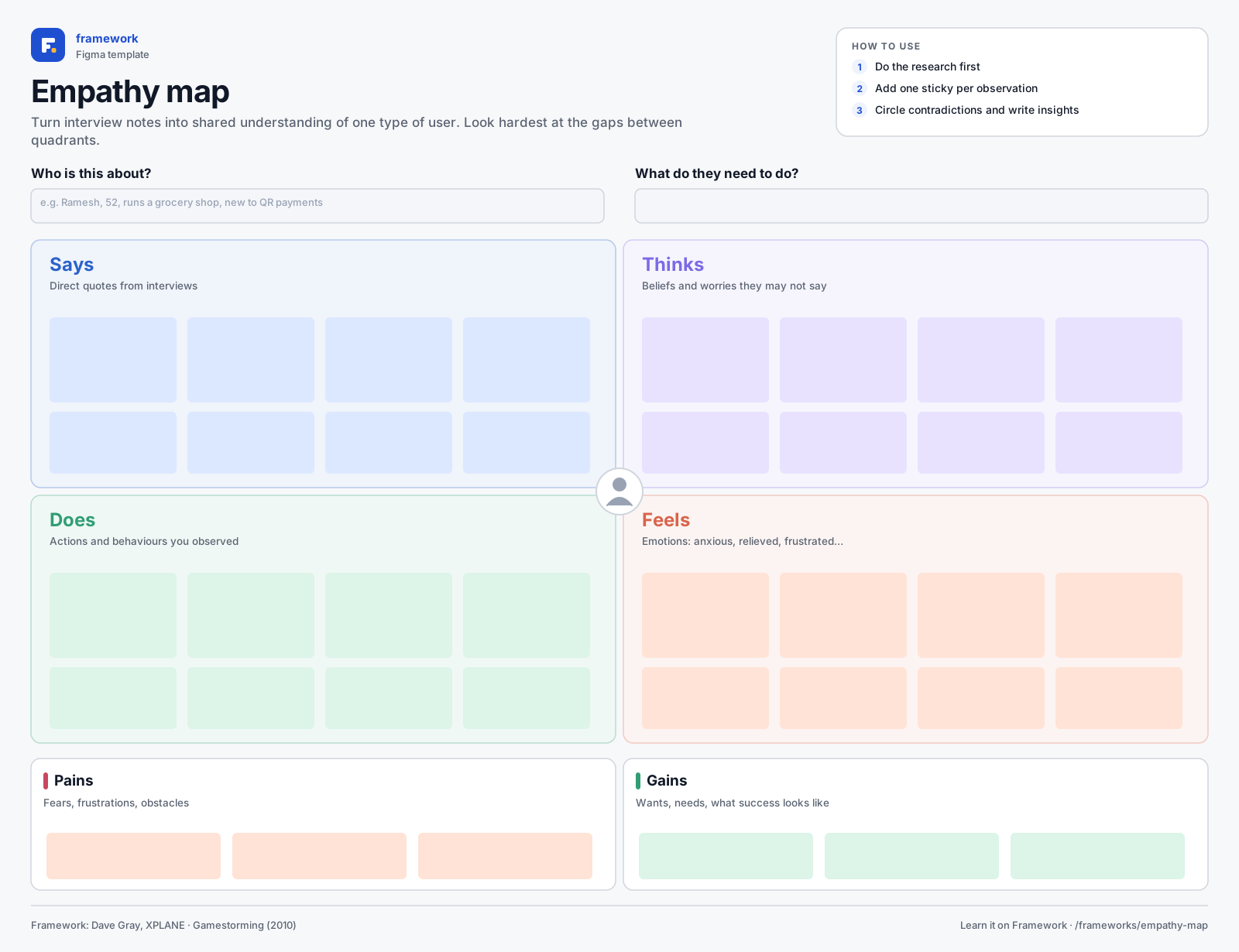
Empathy map
- Says / Thinks / Does / Feels
- Pains and gains
- Who and goal
- 1Download the SVG, or copy it to your clipboard.
- 2In Figma or FigJam, drag the file onto the canvas — or paste with ⌘V / Ctrl V.
- 3Everything arrives as editable layers: type in the boxes, add stickies, duplicate rows.
Quick quiz
Get all three right to complete the lesson.
Notes are private and stored in this browser.
Sources and further reading
- Dave Gray — Updated Empathy Map Canvas (2017)
- Gray, Brown & Macanufo — Gamestorming (2010)
- Nielsen Norman Group — Empathy Mapping
Related frameworks
Customer Journey Map
Every step a user takes, with their goals, feelings and pain points along the way.